


Smart Glasses at Work: Could Your Eyewear Create a Compliance Problem?


Have you seen someone wearing smart glasses lately?
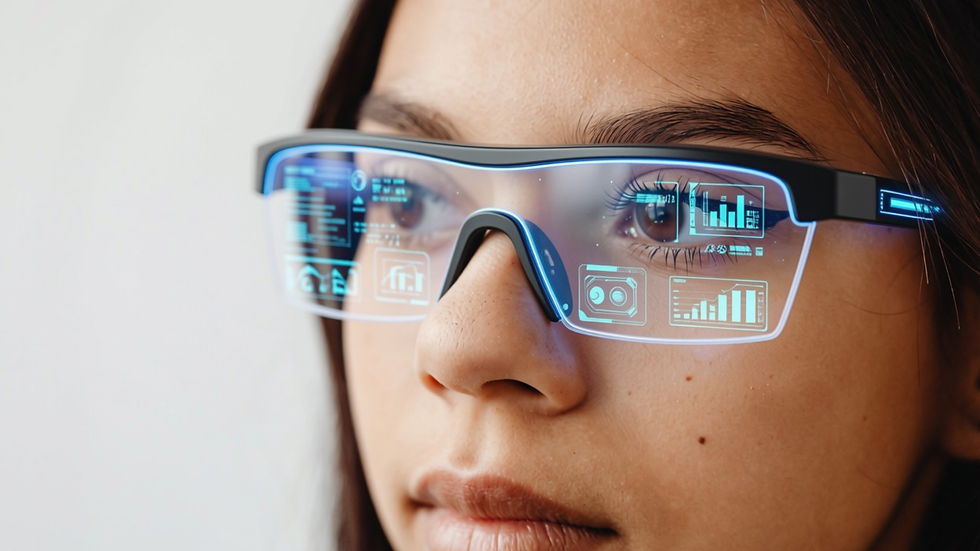
They look almost identical to regular glasses, but some models can take pictures, record videos, answer questions, and even use artificial intelligence (AI) to describe what’s happening around you.
Pretty impressive, right?
Now imagine wearing them at work. You could record instructions without holding your phone, get help identifying equipment, or ask an AI assistant a question without ever opening your laptop.
Unfortunately, those same features can create serious privacy and cyber-compliance concerns, especially when you’re working around confidential information. After all, what happens if your glasses capture something they shouldn’t?
Why Are Smart Glasses Making Headlines?
In October 2026, privacy concerns about smart glasses drew attention from governments and regulators worldwide. Several countries and organizations have considered restrictions on smart glasses because they can discreetly record people and confidential information.
For example, Australian officials began considering restrictions on camera-equipped smart glasses in government workplaces. Courts in England and Wales have also prohibited Meta smart glasses because of existing restrictions on photography and recording.
Then, on October 13, the European Data Protection Board (EDPB) issued a statement addressing the privacy risks of smart glasses. The agency warned that people may not realize they’re being recorded because smart glasses look so much like ordinary eyewear. It also identified workplaces, hospitals, and schools as environments where these devices could create particularly serious privacy concerns.
While the EDPB’s guidance addresses European data protection requirements, the underlying lesson applies to employees everywhere: Your recording devices may capture more than you think, and you are still liable for any privacy violations they cause.
What Could Your Glasses Accidentally Record?
Let’s say you’re wearing smart glasses during a normal workday. You walk past a coworker’s desk while they’re reviewing customer records. Later, you attend a meeting where someone discusses confidential financial information. Maybe you even glance at a computer screen displaying employee Social Security numbers or private medical records.
If you’re recording video, those details could end up in the footage without you realizing it.
Depending on the device and its settings, recordings or information processed by AI features may also be transferred to an associated app or cloud service.
Suddenly, information that should stay in your workplace could end up somewhere else entirely. That creates a serious data privacy compliance problem.
Mistake #1: Assuming Personal Devices Are Okay at Work
You probably wouldn’t walk into a confidential meeting and start recording everyone with your phone without permission. So why would smart glasses be any different?
Unfortunately, because they’re worn like regular glasses, it’s easy to forget that they contain cameras and microphones.
Your employer might restrict recording devices in certain areas or prohibit personal devices from capturing confidential information. Those rules may apply to smart glasses, too.
Before wearing them at work, check your organization’s policies. If you’re unsure whether they’re permitted, ask your IT or compliance team.
Mistake #2: Using AI Features Around Sensitive Information
Some smart glasses can use AI to analyze what you’re looking at or respond to spoken questions.
For example, you might ask your glasses to summarize a document or explain information displayed on a screen. That sounds super convenient! Right?
Unfortunately, depending on the product, that request could involve sending images, audio, or other information to an outside service for processing. If the information contains customer records, financial details, or Protected Health Information (PHI), you could unintentionally share sensitive data with an unapproved provider.
Never use personal AI-enabled devices to process confidential work information unless your organization has specifically approved them.
Mistake #3: Recording People Without Their Knowledge
Imagine you’re speaking with a customer who shares personal financial information. You’re wearing smart glasses, and the recording feature is active.
Does the customer know they’re being recorded?
Did they agree to it?
Depending on where you live and the circumstances surrounding your call, recording conversations without appropriate consent may violate privacy laws. Your organization may also have separate policies requiring permission before recording employees, customers, or visitors.
Even if your glasses have a small recording indicator, that doesn’t necessarily mean everyone nearby understands what’s happening. Always follow applicable recording and consent requirements.
Mistake #4: Forgetting Where Recordings Are Stored
Now, imagine that you use your smart glasses to record a demonstration at work. After completing the workshop, you forget about the video entirely.
Where did it go?
Depending on your device settings, the recording might remain on your glasses, transfer to your phone, or be backed up to cloud storage. If it contains sensitive information, those additional copies can create unnecessary exposure.
Before using any recording feature for work, make sure you understand where the information will be stored, who can access it, and how long it will remain available.
Follow your organization’s approved storage and retention procedures rather than saving work recordings to personal accounts.
How Can You Use Smart Glasses Responsibly?
Fortunately, you don’t have to understand every technical feature to avoid common compliance mistakes. Start with a few simple precautions:
Check company policies. Make sure smart glasses are permitted in your workplace.
Avoid recording sensitive information. Keep cameras and microphones off in restricted areas and confidential situations.
Use only approved AI features. Don’t allow unapproved services to process company or customer information.
Respect people’s privacy. Follow consent requirements before recording conversations or individuals.
Report accidental recordings. If you capture or share confidential information unintentionally, notify your IT or security team.
Most importantly, remember that the same privacy rules apply whether you’re recording with a smartphone, laptop, or a pair of glasses!
Conclusion
Smart glasses are an interesting example of how quickly technology is changing our everyday lives. They can make certain tasks easier, provide hands-free assistance, and introduce new ways to interact with AI. Unfortunately, their convenience can also make it easier to capture sensitive information without realizing it.
Recent attention from privacy regulators reminds us that protecting information isn’t just about securing computers and smartphones anymore. It’s also about understanding what our newer devices can see, hear, record, and share.
On the bright side, avoiding these risks starts with something simple! Before using smart glasses at work, make sure you know what they can do and whether you’re allowed to use those features.
After all, protecting confidential information means paying attention to more than what’s on your computer screen. Sometimes, it means paying attention to what’s right in front of your eyes.
Comments