

.png)
Is That CAPTCHA Trying to Hack You?

Introduction
We’ve all seen the pop-ups…. “Please verify you are human.”
So you click the checkbox, identify a few traffic lights, and maybe solve a quick puzzle, and then you can go on your way.
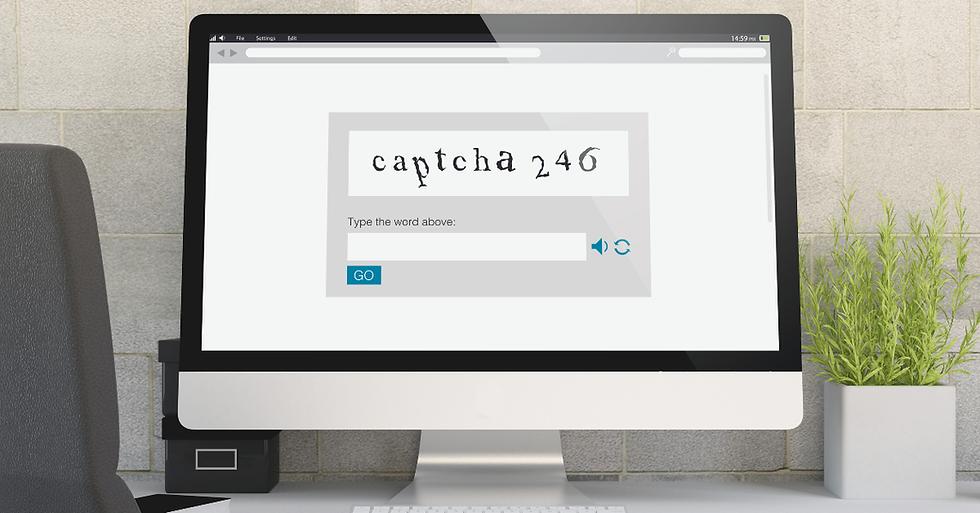
These are CAPTCHAs, a roundabout acronym for Completely Automated Public Turing test to tell Computers and Humans Apart. These verification processes prove you’re human, not a bot trying to gain access.
Nowadays, CAPTCHAs are so common that most of us barely think about them anymore. In fact, it takes just over 30 seconds to complete one—meaning humans collectively waste 500 years every day completing CAPTCHA prompts.
Cybercriminals know how quickly we breeze through these roadblocks, too.
A growing type of cyberattack called ClickFix exploits our familiarity with these verification screens. Instead of exploiting a complex vulnerability, attackers show a fake CAPTCHA and convince you to take a few seemingly harmless steps.
Unfortunately, those steps can actually make you install the malware for them.
A Fake CAPTCHA With a Nasty Surprise
In August 2026, Microsoft detailed a campaign it calls TerminalFix, a variation of the ClickFix technique that was targeting organizations across multiple industries.
The attack began when someone visited a compromised website. At first, it all looked normal. Then a convincing Cloudflare-style verification screen appeared asking the visitor to prove they were human.
Except it wasn’t Cloudflare.
The fake CAPTCHA instructed the person to open Windows Terminal or PowerShell and paste a command.
Behind the scenes, the website had already copied a malicious command to the person’s clipboard. When the victim pasted and ran it, they weren’t completing a CAPTCHA. They were telling their own computer to download and execute the attacker’s code.
Microsoft found that the attack could ultimately give criminals a foothold inside the victim’s computer and potentially the larger network. Because of the attacker’s subterfuge, the victim basically opened the door themselves.
Why Would Anyone Follow Those Instructions?
When it’s laid out like that, it may be hard to understand why somebody would fall for that scheme. It comes down to the simple fact that people are busy and these scams don’t look particularly dangerous. We have become accustomed to websites asking us to perform little tasks to prove we’re human.
Click this. Copy that. Enter this code. Try again. One small, odd extra step can easily feel like another annoying security requirement.
Attackers are exploiting that trust.
ClickFix attacks have become common enough that the technique has moved from relatively unusual to increasingly mainstream within the last year, with attackers targeting both Windows PCs and Macs. The attack works because it doesn’t necessarily need to break through your computer’s defenses. Instead, they convince you to do that part for them.
Your Computer Shouldn’t Need a Command to Prove You’re Human
Here is the easiest lesson to remember: A normal CAPTCHA should never ask you to open PowerShell, Windows Terminal, the Run box, macOS Terminal, or another command-line tool.
It should not ask you to copy and paste a mysterious command. You should never disable your own security software. Legitimate CAPTCHAs shouldn’t require you to run a script just to view a website.
If a webpage gives you instructions like that, stop. Even if you don’t understand the command, the request alone should raise a red flag.
How The Scam Affects Mac Users
The ClickFix scam doesn’t only target Windows users.
In another campaign documented by Microsoft in August 2026, attackers targeted Mac users with fake download and verification pages that instructed them to paste commands into macOS Terminal.
Those commands eventually installed information-stealing malware that could target credentials, browser information, cryptocurrency wallet data, authentication information, and sensitive files.
The attackers even became more selective about who saw the malicious page.
Microsoft found that the websites could examine visitors’ browsers and devices first. A visitor who appeared to be using a genuine Mac could receive the malicious instructions, while security scanners and other visitors might see an innocent-looking page instead.
That makes the attack harder for security researchers to spot.
What Should You Do?
The good news? This attack becomes much less effective once you know what it looks like.
Treat any website asking you to copy and execute a command as suspicious. If a CAPTCHA suddenly tells you to press keyboard shortcuts, open a command window, paste something, or run a script, close the page.
Don’t assume a familiar logo makes the instructions legitimate, either. Attackers can copy Cloudflare, Google, Microsoft, Apple, or practically anyone else’s branding onto a fake landing page.
If you already followed the instructions on a work computer, contact your IT or security team immediately. Don’t simply close the window and assume everything is fine as long as you don’t interact further.
Conclusion
Cyberattacks don’t always involve somebody secretly breaking into your computer. Sometimes, the attacker simply asks you to let them in.
That’s what makes fake CAPTCHA attacks so effective. They disguise a dangerous action as a routine security check we’ve completed hundreds of times before.
Remember one simple rule: Proving you’re human shouldn’t require you to run computer commands.
If a website asks you to do that, then don’t try to finish the verification. Close it out instead.

Comments